

Comfy Desktop snapshot
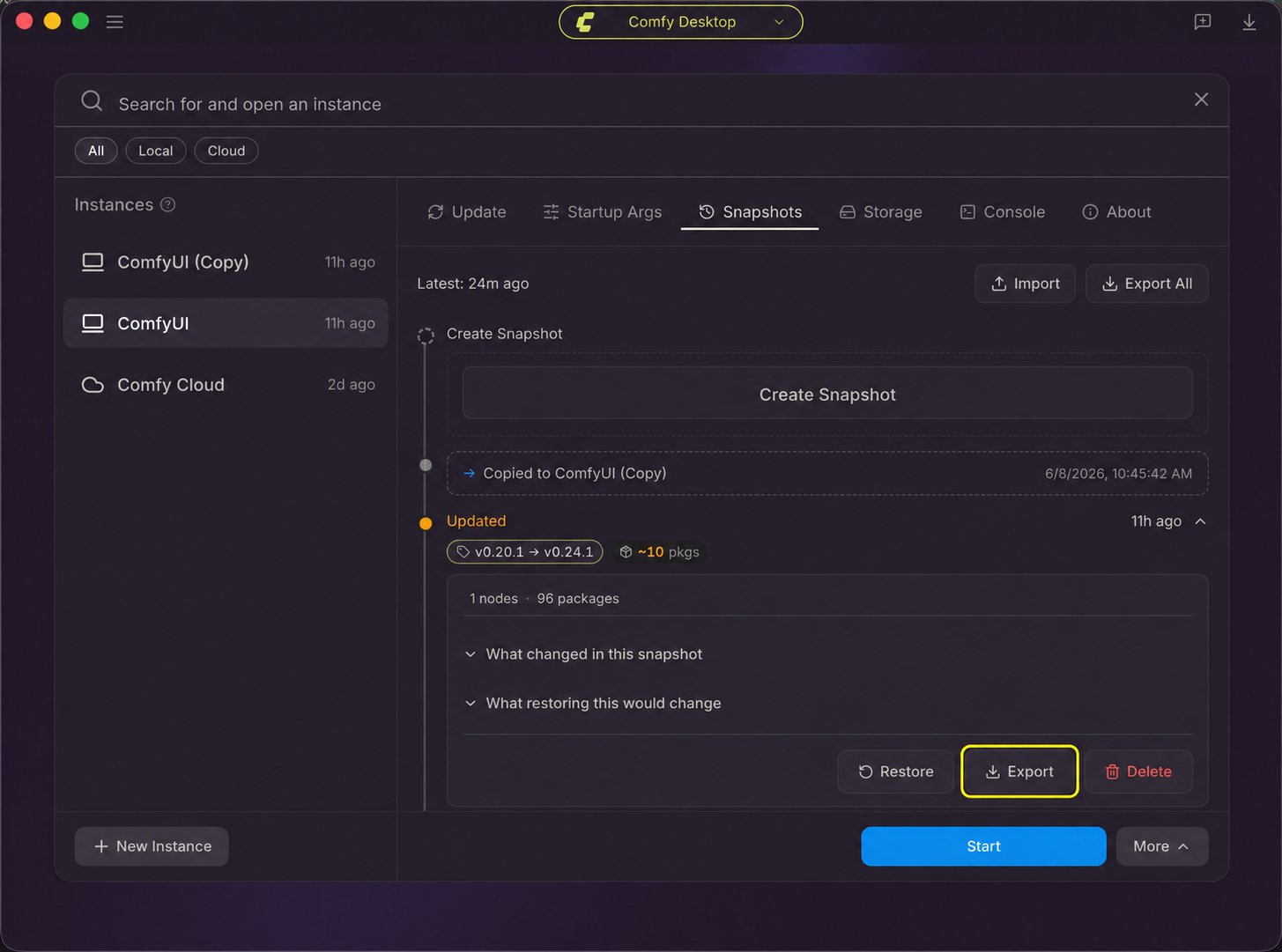
Use a snapshot to carry a Desktop instance’s ComfyUI version, custom nodes, and Python packages into a Build.- In Comfy Desktop, open the instance’s Manage panel and select Snapshots. Choose the snapshot for the environment you want to build and click its Export button. If the current state is not listed, create a manual snapshot first. See Desktop snapshot steps.
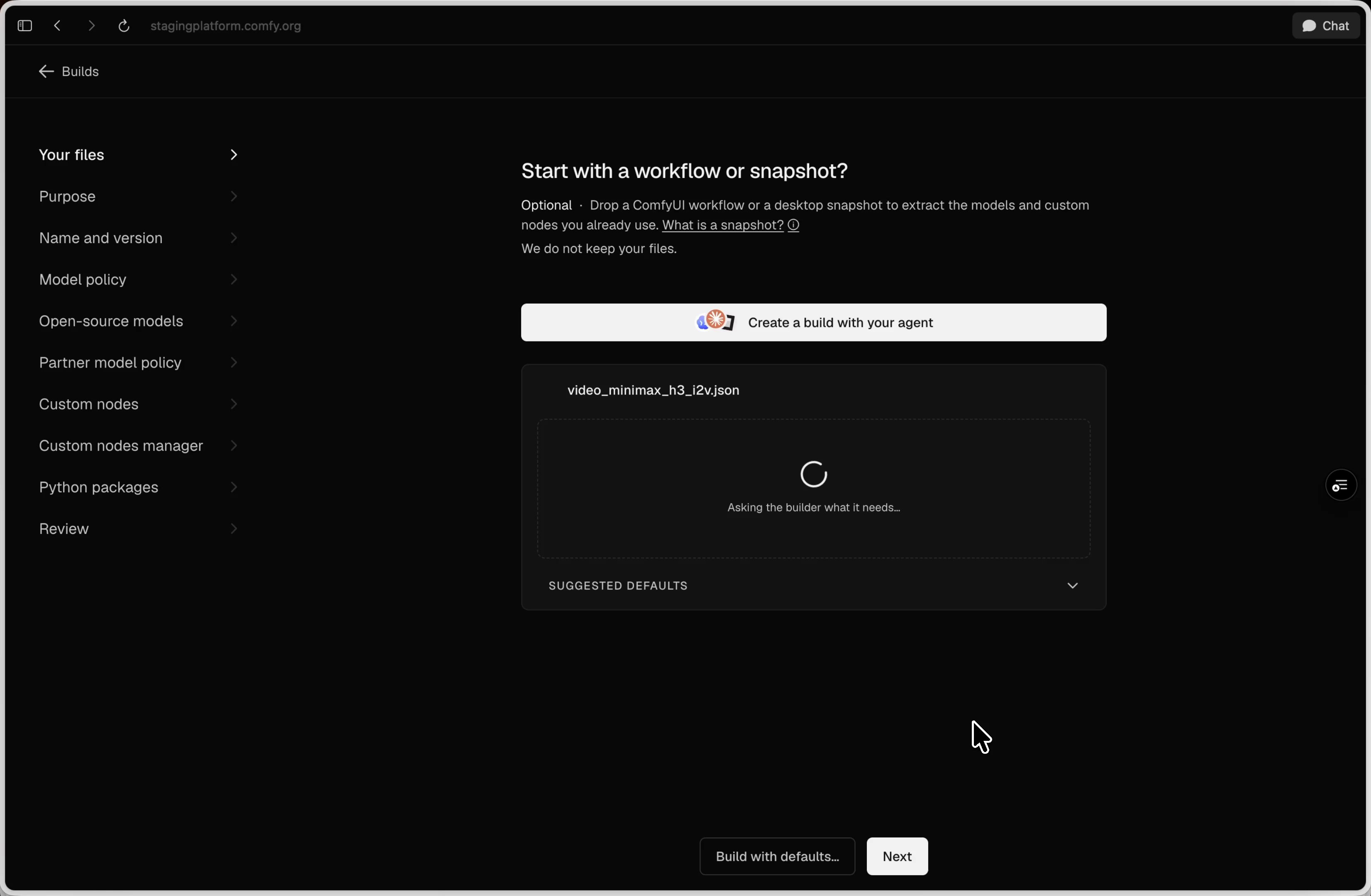
- Open the Comfy API Build Wizard and import the snapshot file.
- Review the Build contents and add or correct any missing models or dependencies before creating a release.
Workflow JSON
Use a saved workflow file to configure a Build in the Build Wizard:- Open the Comfy API Build Wizard.
- Drag the workflow JSON into the import step.
- Review the Build contents and add or correct any missing models or dependencies before creating a release.
Next steps
Comfy API Quickstart
Create a release, deploy it, and run a workflow with an agent or the CLI.
Comfy API Deployment Guide
Manage Build files, updates, releases, scaling, billing, and troubleshooting.