

- Kontext Pro is ideal for editing, composing, and remixing.
- Kontext Max pushes the limits on typography, prompt precision, and speed.
What Flux.1 Kontext is good at
- Versatile editing without complex descriptions: Object modification, style transfer, background replacement, character consistency editing, and text editing
- Context understanding: Intelligent understanding of image context enables precise, targeted edits
- Character consistency: Character features and composition layout remain stable even after multiple iterations of editing
- Multiple image input: The
Image Stitchnode stitches multiple images into a single image for editing with Flux.1 Kontext - Two model tiers: Kontext Pro for editing, composing, and remixing; Kontext Max for typography, prompt precision, and speed
Example outputs
Editing a stitched multi-image input (a girl, a dog, and a sofa combined into one scene): Image editing with Kontext Pro, ideal for editing, composing, and remixing:
 Image editing with Kontext Max, which pushes the limits on typography, prompt precision, and speed:

Use it
Call it from code
Call Kontext Pro or Max over HTTP through Comfy Router, with copy-paste Python, TypeScript, Swift and cURL snippets
Flux.1 Kontext Multiple Image Input Workflow
We have recently updated to support multiple image input workflows. Using the newImage Stitch node, you can stitch multiple images into a single image and edit it using Flux.1 Kontext.
1. Workflow File Download
Themetadata of the images below contains the workflow information. Please download and drag them into ComfyUI to load the corresponding workflow.
Download the following images for input or use your own images:

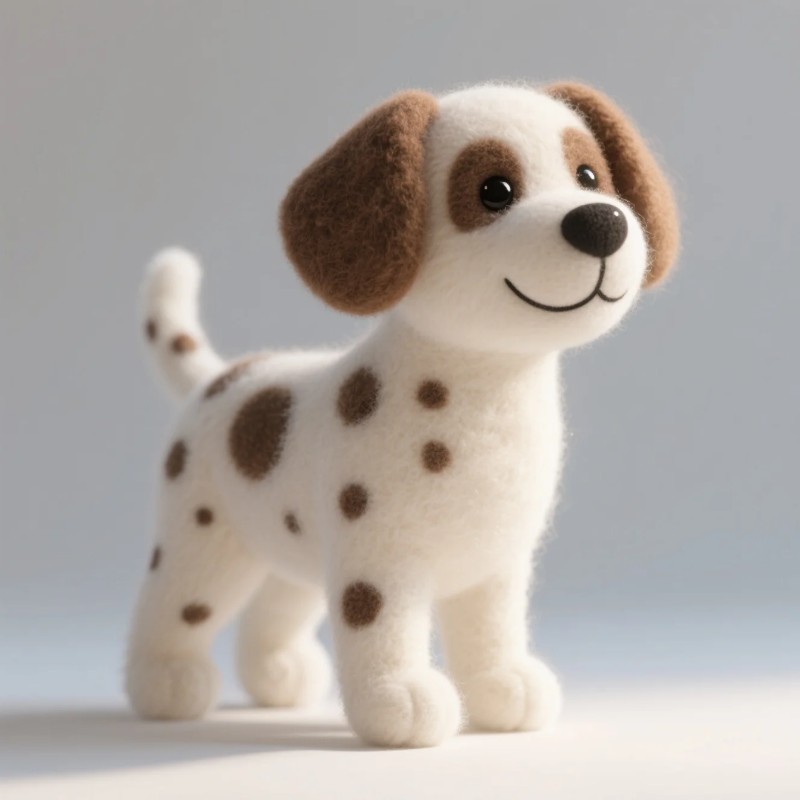

2. Complete the Workflow Step by Step
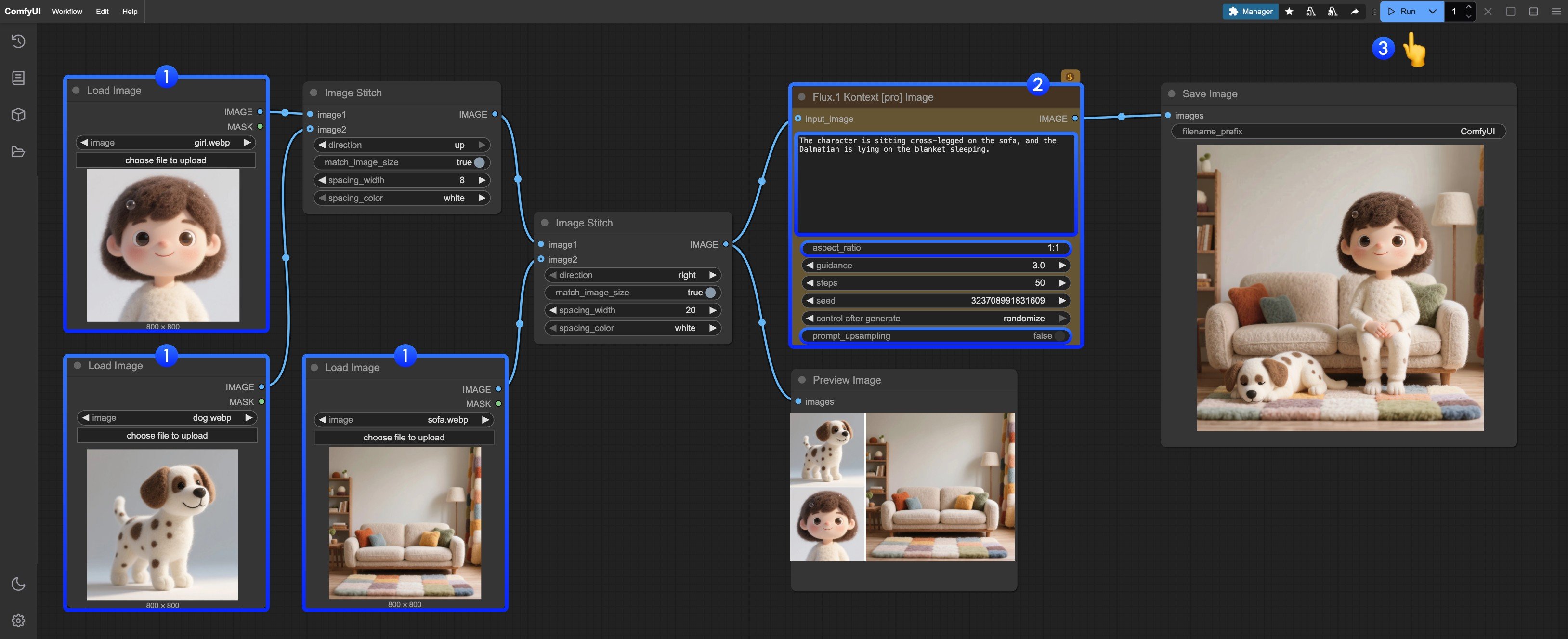
- Upload the provided images in the
Load imagenode - Modify the necessary parameters in
Flux.1 Kontext Pro Image:promptEnter the prompt for the image you want to editaspect_ratioSet the aspect ratio of the original image, which must be between 1:4 and 4:1prompt_upsamplingSet whether to use prompt upsampling. If enabled, it will automatically modify the prompt to get richer results, but the results are not reproducible
- Click the
Runbutton or use the shortcutCtrl(cmd) + Enterto execute the image editing - After waiting for the API to return results, you can view the edited image in the
Save Imagenode, and the corresponding image will also be saved to theComfyUI/output/directory
Flux.1 Kontext Pro Image Partner Nodes Workflow
1. Workflow File Download
Themetadata of the image below contains the workflow information. Please download and drag it into ComfyUI to load the corresponding workflow.
Download the image below for input or use your own image:

2. Complete the Workflow Step by Step
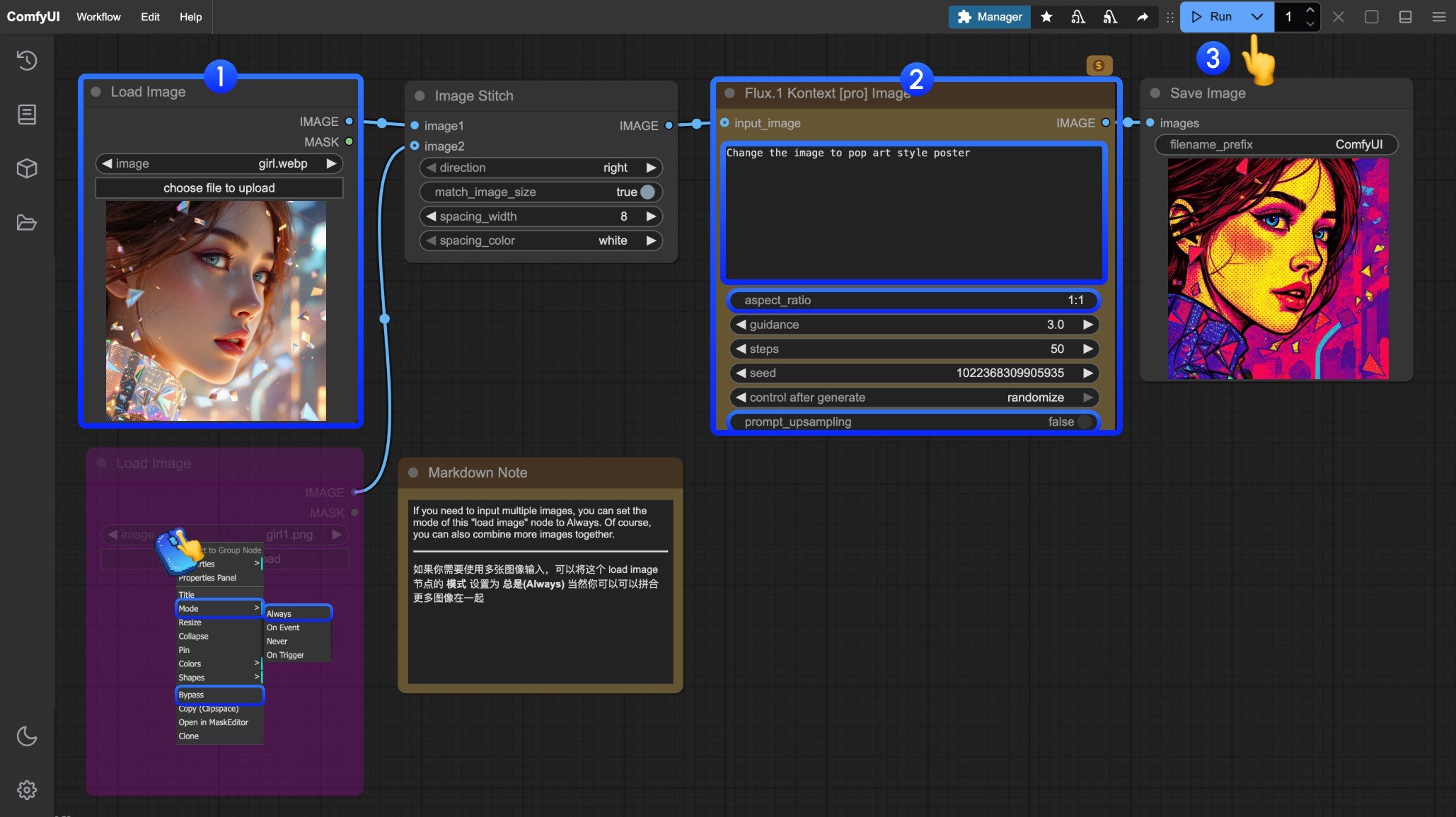
- Load the image you want to edit in the
Load Imagenode - (Optional) Modify the necessary parameters in
Flux.1 Kontext Pro Image - Click the
Runbutton or use the shortcutCtrl(cmd) + Enterto execute the image editing - After waiting for the API to return results, you can view the edited image in the
Save Imagenode, and the corresponding image will also be saved to theComfyUI/output/directory
Flux.1 Kontext Max Image Partner Nodes Workflow
1. Workflow File Download
Themetadata of the image below contains the workflow information. Please download and drag it into ComfyUI to load the corresponding workflow.
Download the image below for input or use your own image for demonstration:

2. Complete the Workflow Step by Step
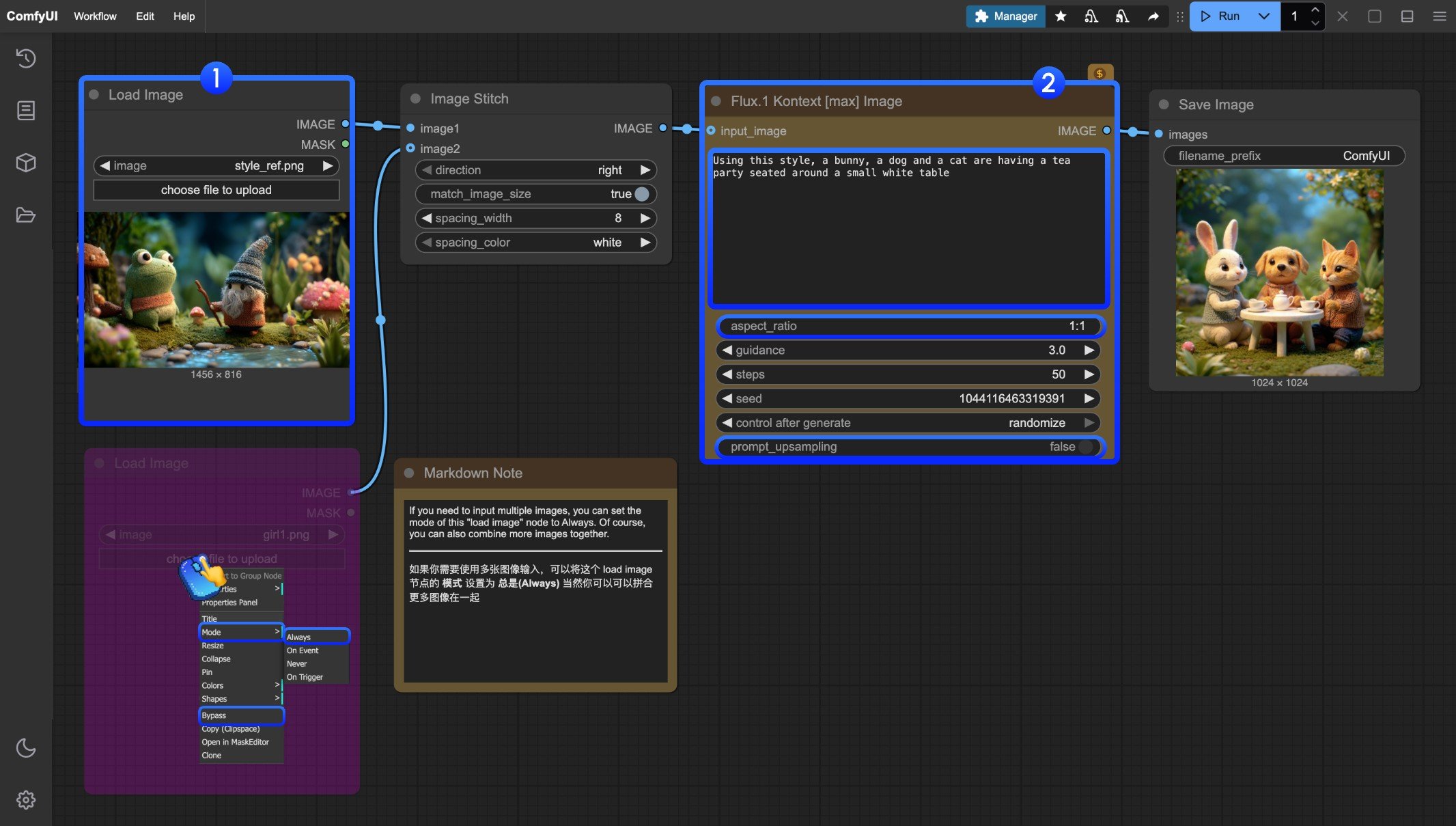
- Load the image you want to edit in the
Load Imagenode - (Optional) Modify the necessary parameters in
Flux.1 Kontext Max Image - Click the
Runbutton or use the shortcutCtrl(cmd) + Enterto execute the image editing - After waiting for the API to return results, you can view the edited image in the
Save Imagenode, and the corresponding image will also be saved to theComfyUI/output/directory
Flux Kontext Prompt Techniques
1. Basic Modifications
- Simple and direct:
"Change the car color to red" - Maintain style:
"Change to daytime while maintaining the same style of the painting"
2. Style Transfer
Principles:- Clearly name style:
"Transform to Bauhaus art style" - Describe characteristics:
"Transform to oil painting with visible brushstrokes, thick paint texture" - Preserve composition:
"Change to Bauhaus style while maintaining the original composition"
3. Character Consistency
Framework:- Specific description:
"The woman with short black hair"instead of “she” - Preserve features:
"while maintaining the same facial features, hairstyle, and expression" - Step-by-step modifications: Change background first, then actions
4. Text Editing
- Use quotes:
"Replace 'joy' with 'BFL'" - Maintain format:
"Replace text while maintaining the same font style"
Common Problem Solutions
Character Changes Too Much
❌ Wrong:"Transform the person into a Viking"
✅ Correct: "Change the clothes to be a viking warrior while preserving facial features"
Composition Position Changes
❌ Wrong:"Put him on a beach"
✅ Correct: "Change the background to a beach while keeping the person in the exact same position, scale, and pose"
Style Application Inaccuracy
❌ Wrong:"Make it a sketch"
✅ Correct: "Convert to pencil sketch with natural graphite lines, cross-hatching, and visible paper texture"
Core Principles
- Be Specific and Clear - Use precise descriptions, avoid vague terms
- Step-by-step Editing - Break complex modifications into multiple simple steps
- Explicit Preservation - State what should remain unchanged
- Verb Selection - Use “change”, “replace” rather than “transform”
Best Practice Templates
Object Modification:"Change [object] to [new state], keep [content to preserve] unchanged"
Style Transfer:
"Transform to [specific style], while maintaining [composition/character/other] unchanged"
Background Replacement:
"Change the background to [new background], keep the subject in the exact same position and pose"
Text Editing:
"Replace '[original text]' with '[new text]', maintain the same font style"
Remember: The more specific, the better. Kontext excels at understanding detailed instructions and maintaining consistency.